VeriMuster · A JJ Frank Holdings LLC product
The time clock that only counts hours on site.
Crews scan one QR poster per job. The punch only counts inside the job’s GPS fence. Timekeepers see verified hours next to claimed hours, and every change stays in an audit trail.
Demo uses sample data. Try worker R-1043, PIN 1234.
-
01
Scan the job’s QR poster
One fixed code per job, posted on site. Workers sign in with company ID, employee ID and PIN, then scan to punch.
-
02
Inside the GPS fence
A clock-in only counts when the phone is inside the job’s fence. Attempts from off site are refused and logged.
-
03
Verified hours
The timesheet shows what was verified on site next to what was claimed, including overtime after 40 hours a week.
-
04
Timekeeper review
Approve, dispute or edit. Every action is kept in an audit trail, so the record can be explained later.
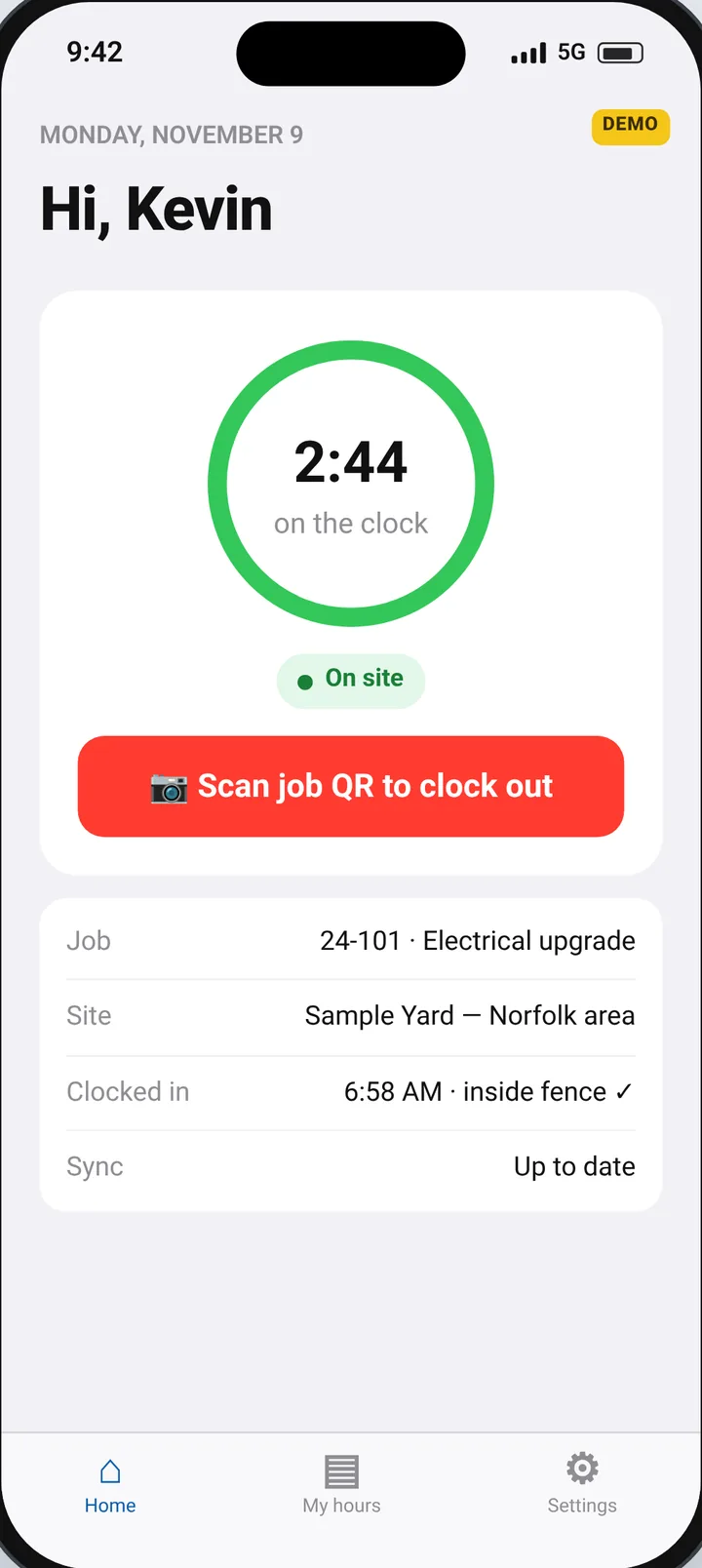
A walkthrough of the clock, the fence, and the timekeeper.
Wendell’s voiceover walks through the sample demo — the QR poster, the GPS fence, the parking-lot rule, and how a timekeeper reviews a flagged timesheet. It uses sample data, not a customer site. Captions are on by default.
Five site rules. No supervisor at the gate.
Every job gets a GPS fence, a parking-lot zone and one fixed QR poster. The app on the worker’s phone enforces the rules.
-
Scan the job’s poster
One fixed QR code per job, printed once and posted on site. Workers sign in with company ID, employee ID and PIN, then scan to punch. A code can be regenerated or turned off if it walks away.
-
Inside the fence or nothing
A clock-in only counts when the phone is inside the job’s GPS fence. Attempts from home, the truck or the wrong site are refused and logged, with the distance from the fence.
-
Fifteen minutes in the lot ends the shift
If a clocked-in phone sits in a parking lot for more than 15 minutes, the worker is clocked out automatically, stamped at the first lot ping, not when the timer ran out.
-
No signal never clocks anyone out
Basements, steel buildings and dead zones happen. Punches and location checks queue on the phone and upload later with their original times. A dropped signal on its own never ends a shift.
-
One phone, one person
When the same phone clocks in more than one worker, the punches are flagged as possible buddy punching for the timekeeper to review.
Verified next to claimed. Every row.
The timekeeper screen puts what was verified on site next to what was claimed, splits overtime after 40 hours a week, and flags lunch patterns and shared phones. Approve, dispute or edit, and every change is kept in an audit trail.
| Worker | Claimed | Verified | Regular | OT | Flags | Status |
|---|---|---|---|---|---|---|
| R-1041 | 40.0 | 39.8 | 39.8 | 0.0 | clean | Approved |
| R-1043 | 46.0 | 45.5 | 40.0 | 5.5 | overtime | Approved |
| R-1044 | 40.0 | 37.0 | 37.0 | 0.0 | needs review | Disputed |
| R-1047 | 40.0 | 38.0 | 38.0 | 0.0 | shared phone | Needs review |
What unverified hours can cost a year
Put in your own numbers. It starts on an example: a 30-person crew that works through lunch and charges a full 8-hour day for about 6.5 hours on site, a 1.5-hour gap per person per workday. The defaults are stated assumptions, not measurements from any company. Every figure is an estimate from your inputs, not a guarantee, not accounting advice, and not a customer result.
a year, paid for time that wasn’t verified on site
- Unverified hours a day
- 45
- A week (5 workdays)
- 225
- A year
- 11,250
Hours a year = workers × (gap minutes ÷ 60) × workdays
Labor cost = hours a year × average rate × overtime factor (1.00×)
Per worker = labor cost ÷ workers
Per workday = labor cost ÷ workdays
Overtime factor = 1 − OT share + OT share × multiplier. At 0% overtime it is 1.00×, so labor cost is simply hours a year × average rate.
This is an example estimate from your inputs, not a guarantee, not accounting advice, and not a customer result. Your real figure depends on your crews, your rates and what a pilot measures on your site.
Tracks the shift. Not the person.
- Location only while clocked in. Background location starts at clock-in and stops at clock-out. Off the clock, the app doesn’t track.
- Honest time gets protected too. A worker who was on site has a verified record to point to if hours are questioned.
- No signal is not a violation. Offline punches keep their real times.
- No ads, no selling data. Records belong to the employer and are used for timekeeping. Read the privacy policy.
The fence settles the argument before it starts.
One job. Thirty days. No charge.
Pick one job site. We set the fence and lot zones, print the QR poster, and get your crew and timekeeper running. At the end you’ll have 30 days of verified hours next to claimed hours, from your own site.
- Set up the job. Draw the fence and lot zones, print the poster, load the crew list.
- Crew clocks in. Workers install the app, sign in and scan. No hardware to mount.
- Timekeeper reviews. Verified vs claimed, overtime, flags and exports every week.
- Read the results. We go through the numbers together. Keep going on a flat yearly company license, or walk away.